Photo to Painting Converter
Photo to Painting turns one photo into an oil painting with textured brushstrokes or a watercolor with soft washes and patches of white paper.
- Same shape as your photo
- 1K · 2K · 4K, from 1 credit
- PNG (4K as JPG)
- About a minute
- Kept 30 days
AI-generated results may change details of faces, hands or accessories and are not guaranteed to match the input photos exactly.
Start with one photo
The same scene in oil and watercolor
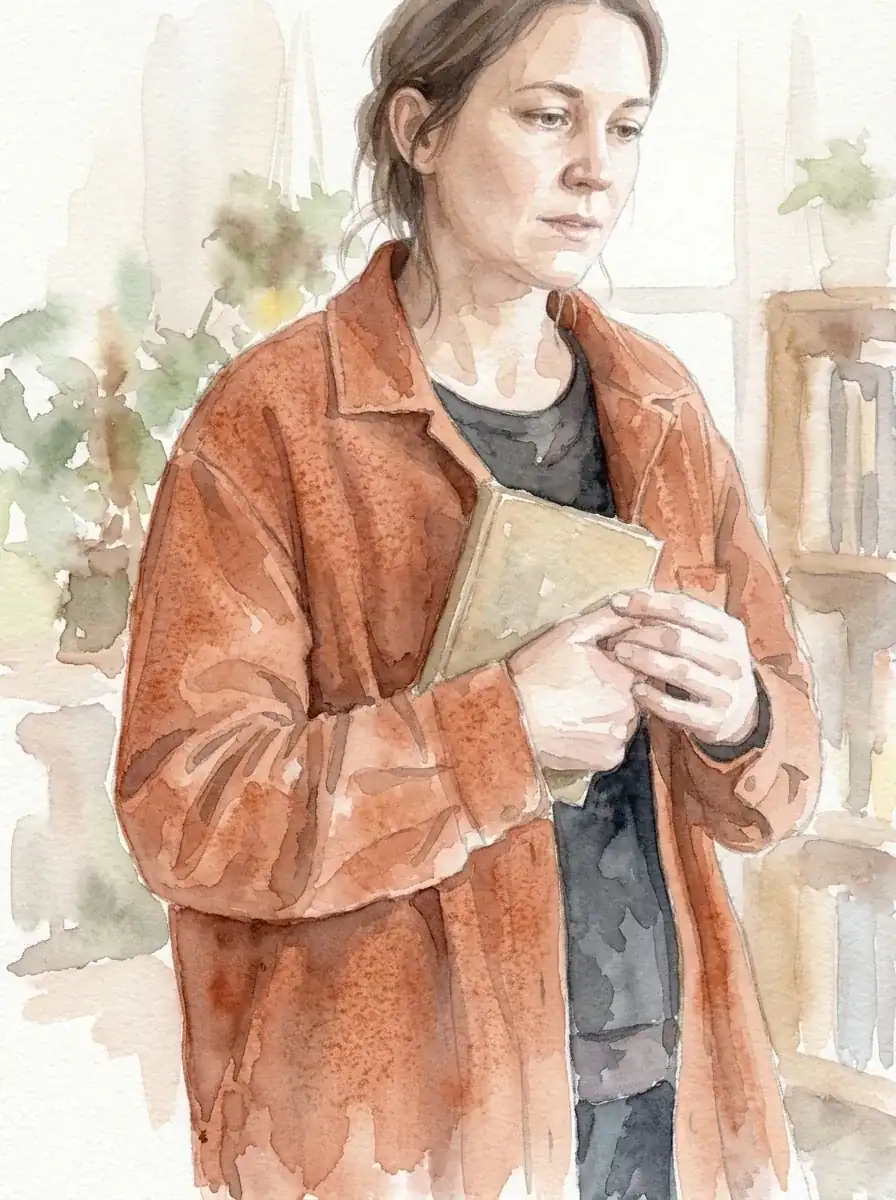
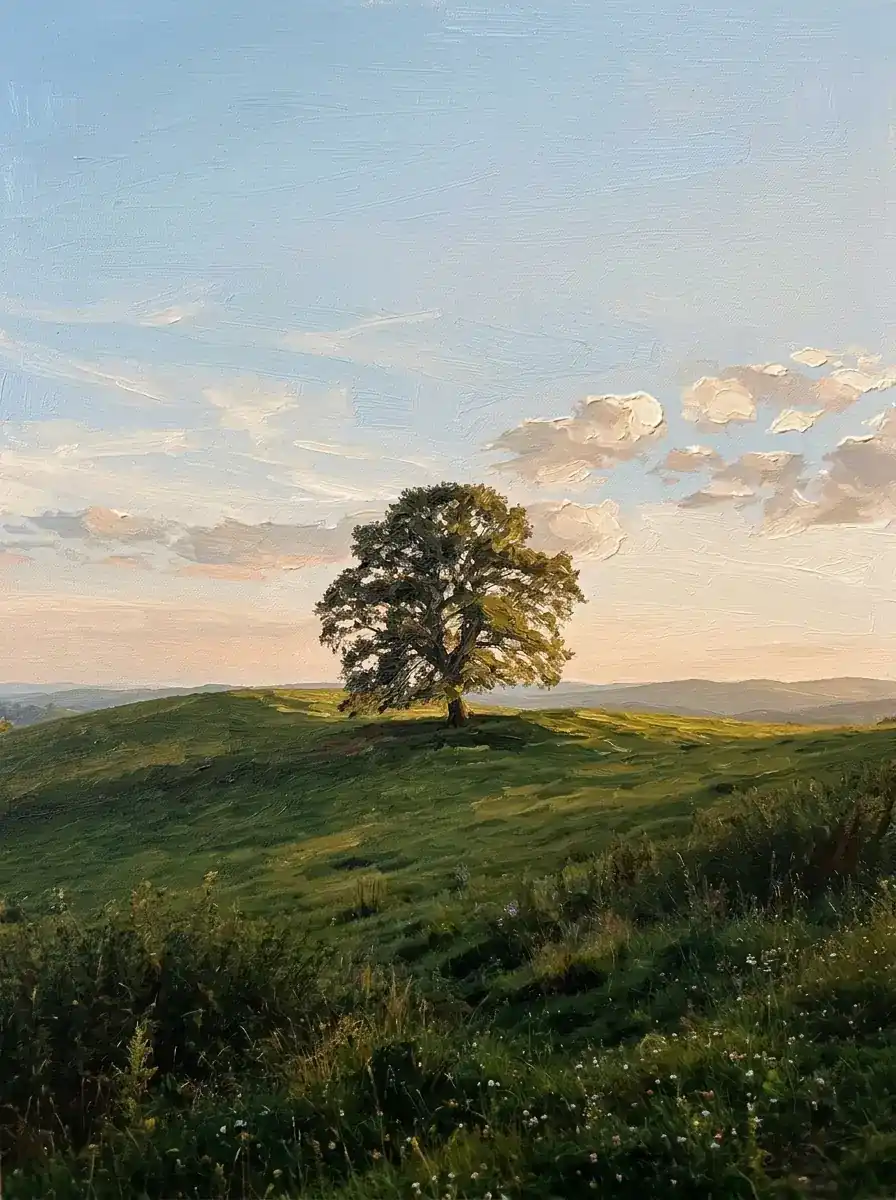
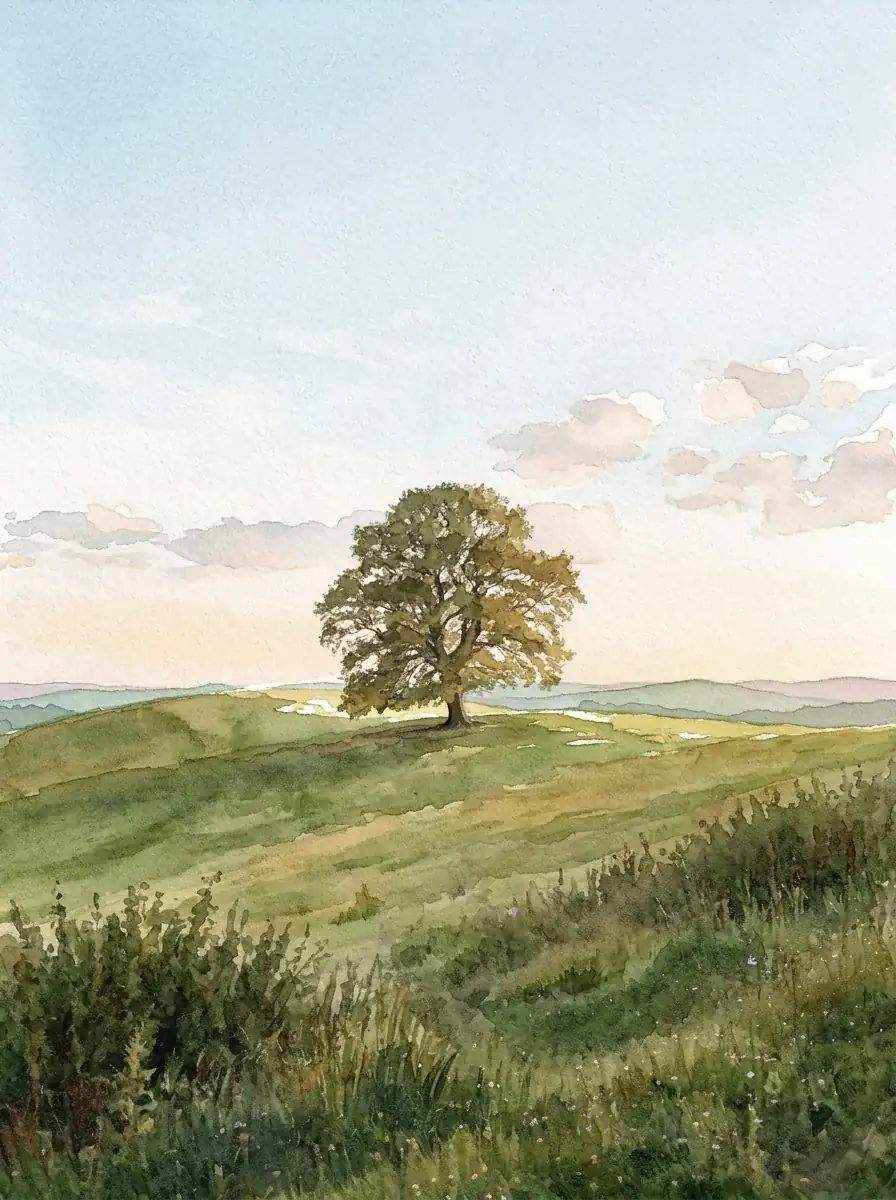
Switch the style on each sample. Watch a shadow become a solid patch of oil color or a wash that fades into the paper.
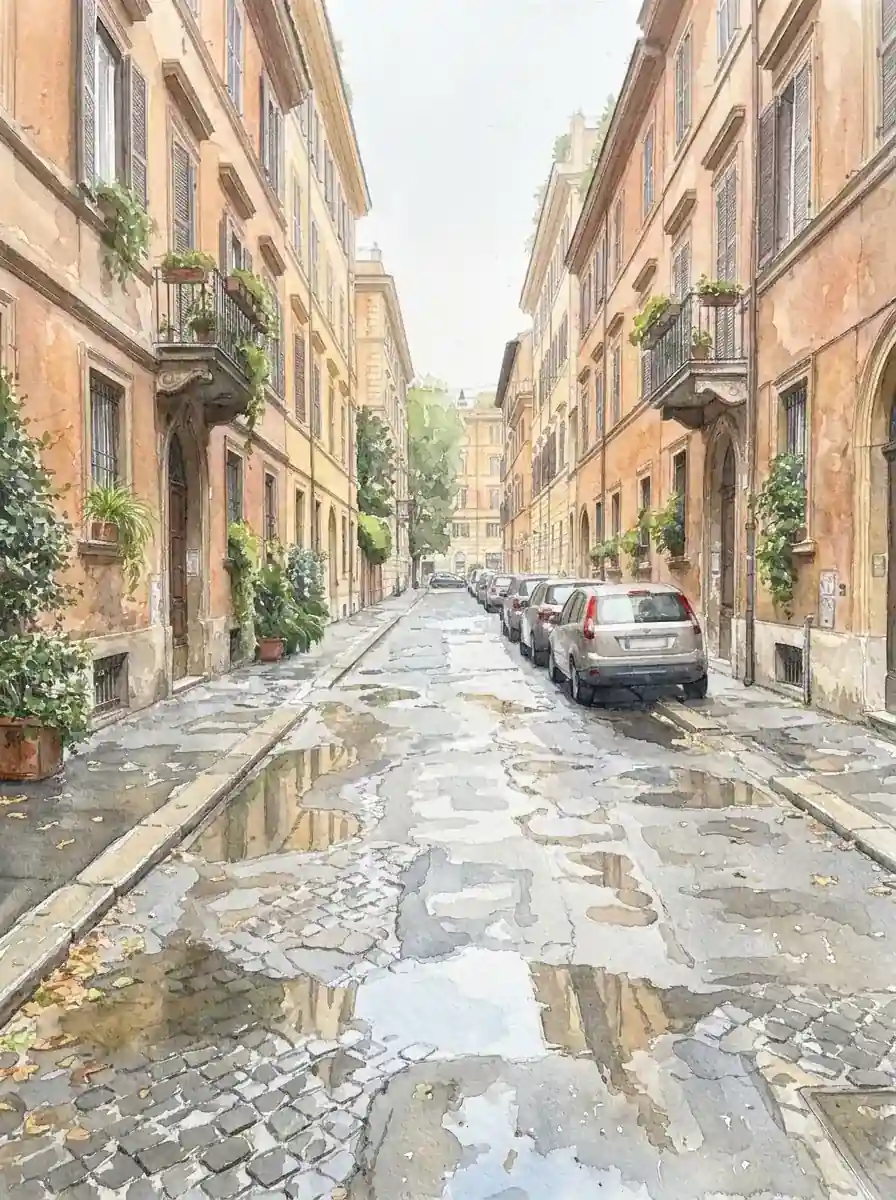
How oil and watercolor show reflections
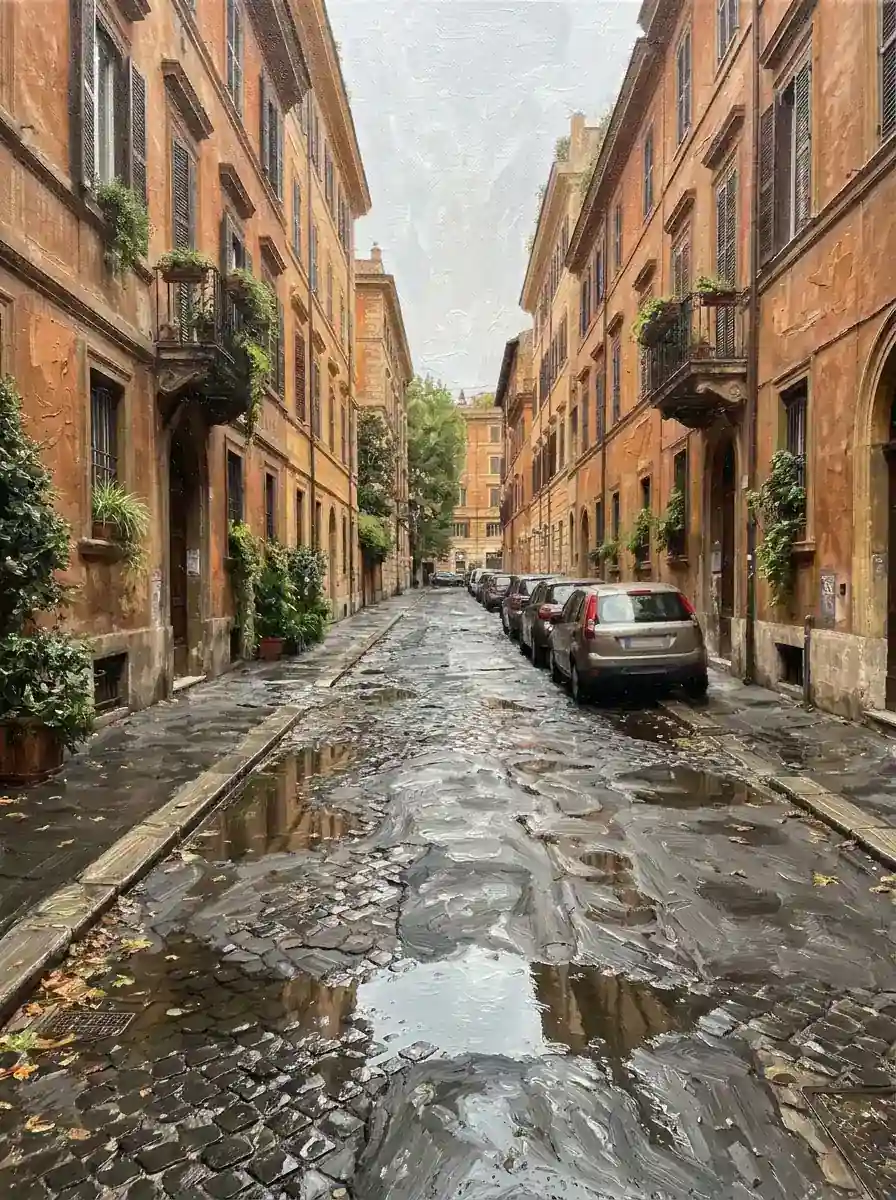
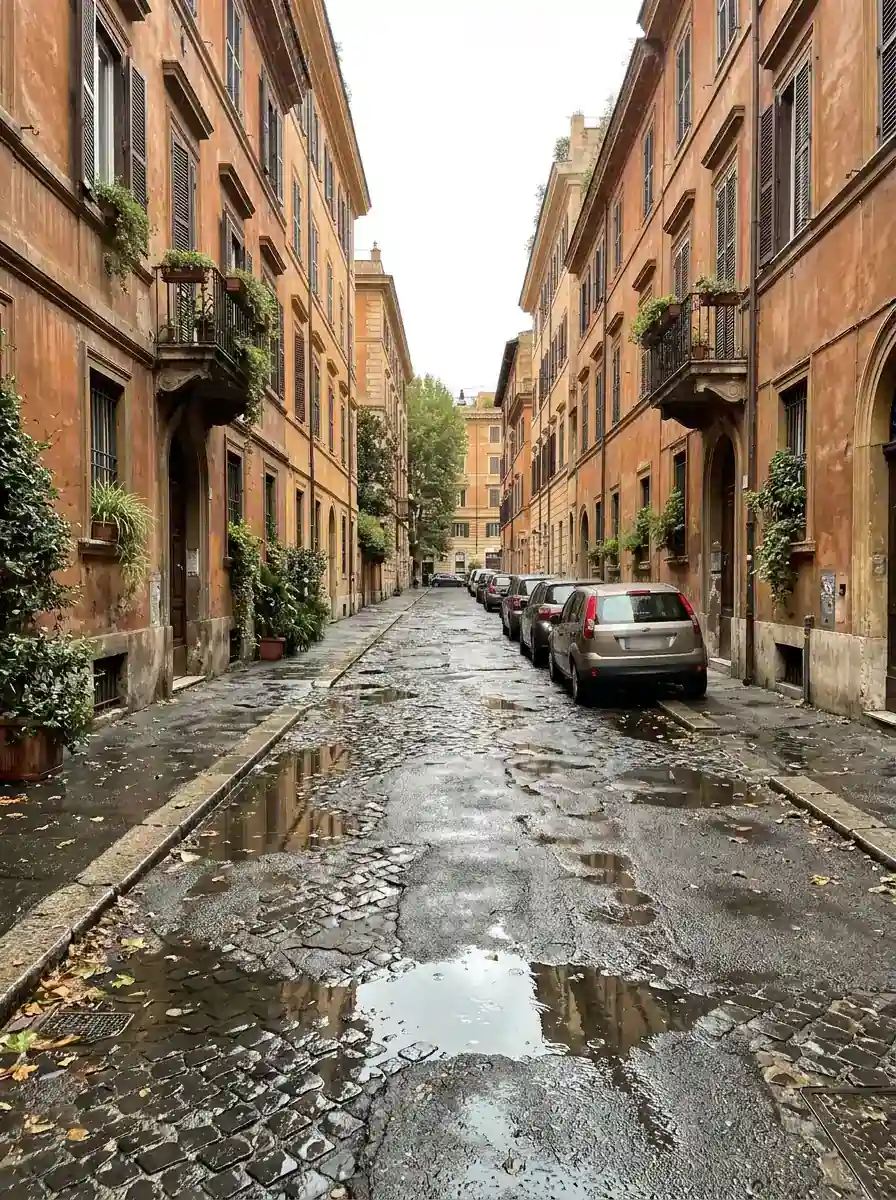
Look at the same puddle in the rain-soaked street. Its reflection stays in place while the texture changes.
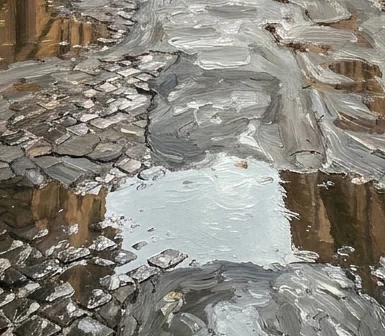
Oil uses opaque gray and white brush marks across the reflection. 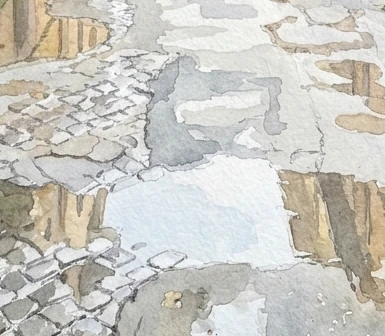
Watercolor uses a pale wash and visible paper in the reflection.
Choose a medium and make your painting
- 1. Upload a photoChoose one portrait or scene with the subject in focus.
- 2. Choose your mediumPick Oil painting for textured marks or Watercolor for softer washes.
- 3. Save the paintingChoose a size, generate the image and download it from your library.
- Same shape as your photo
- 1K · 2K · 4K, from 1 credit
- PNG (4K as JPG)
- About a minute
- Kept 30 days
Pictures worth painting
- Portrait keepsake Use oil brushwork to bring out the light on a familiar face.
- Travel memory Use watercolor for the pale sky and soft edges of a landscape.
- Street scene Print a study of the warm buildings and cool reflections.
Light that gives a painting shape
- Side-lit face
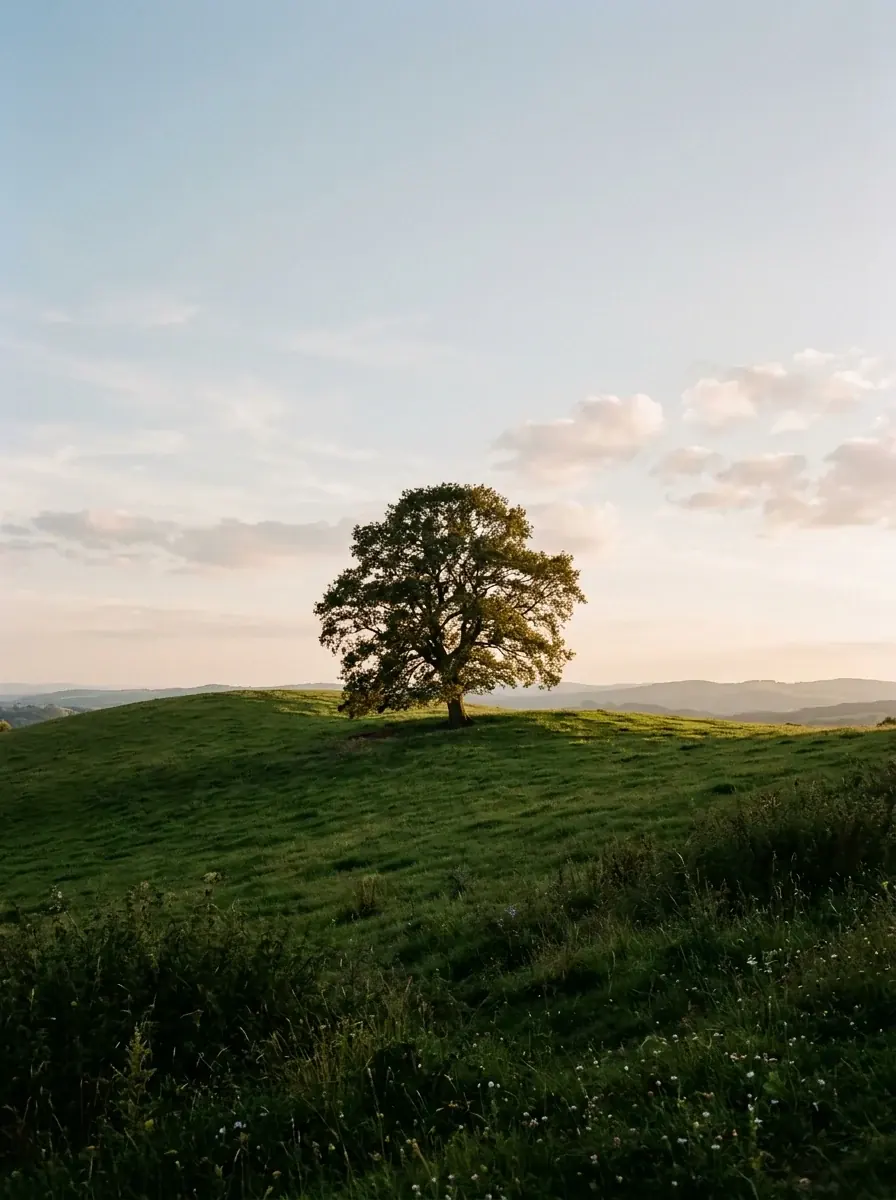 Clear skyline
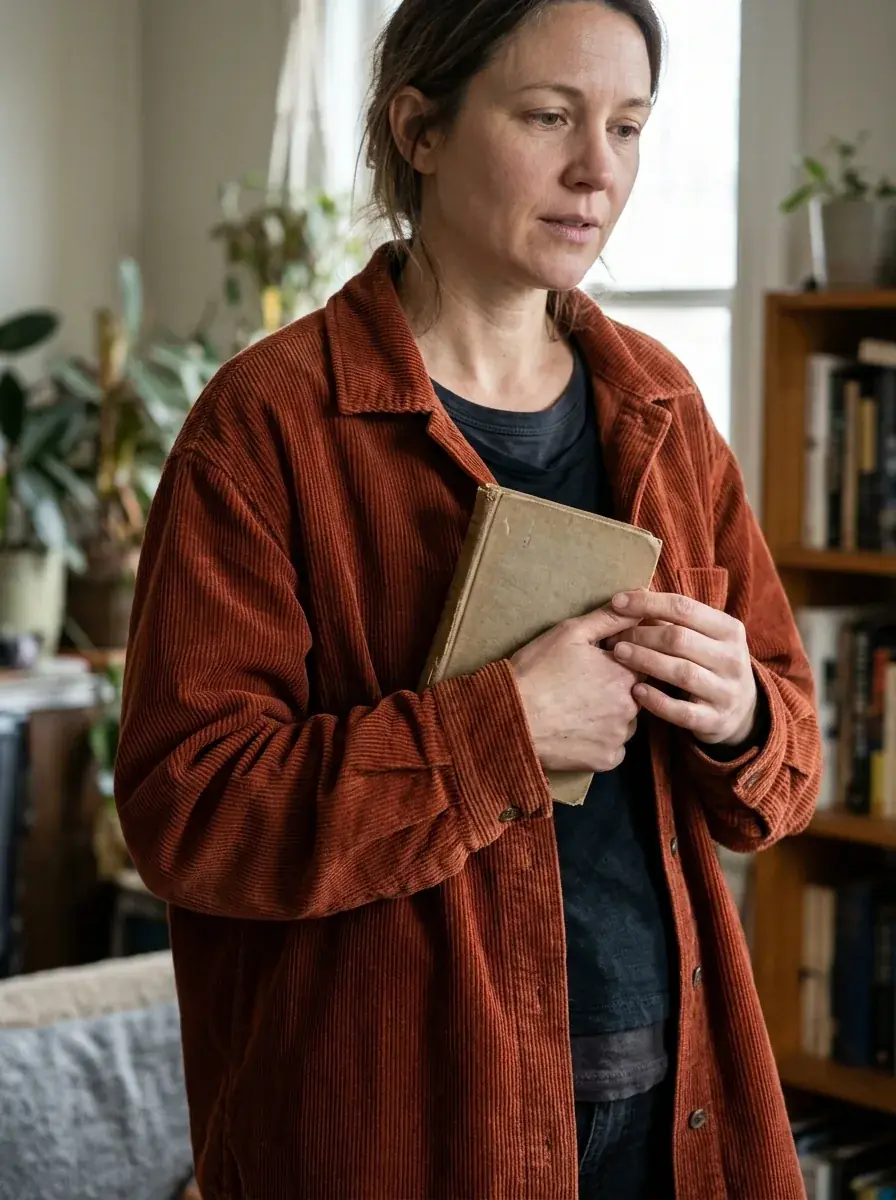 Distinct fabric folds
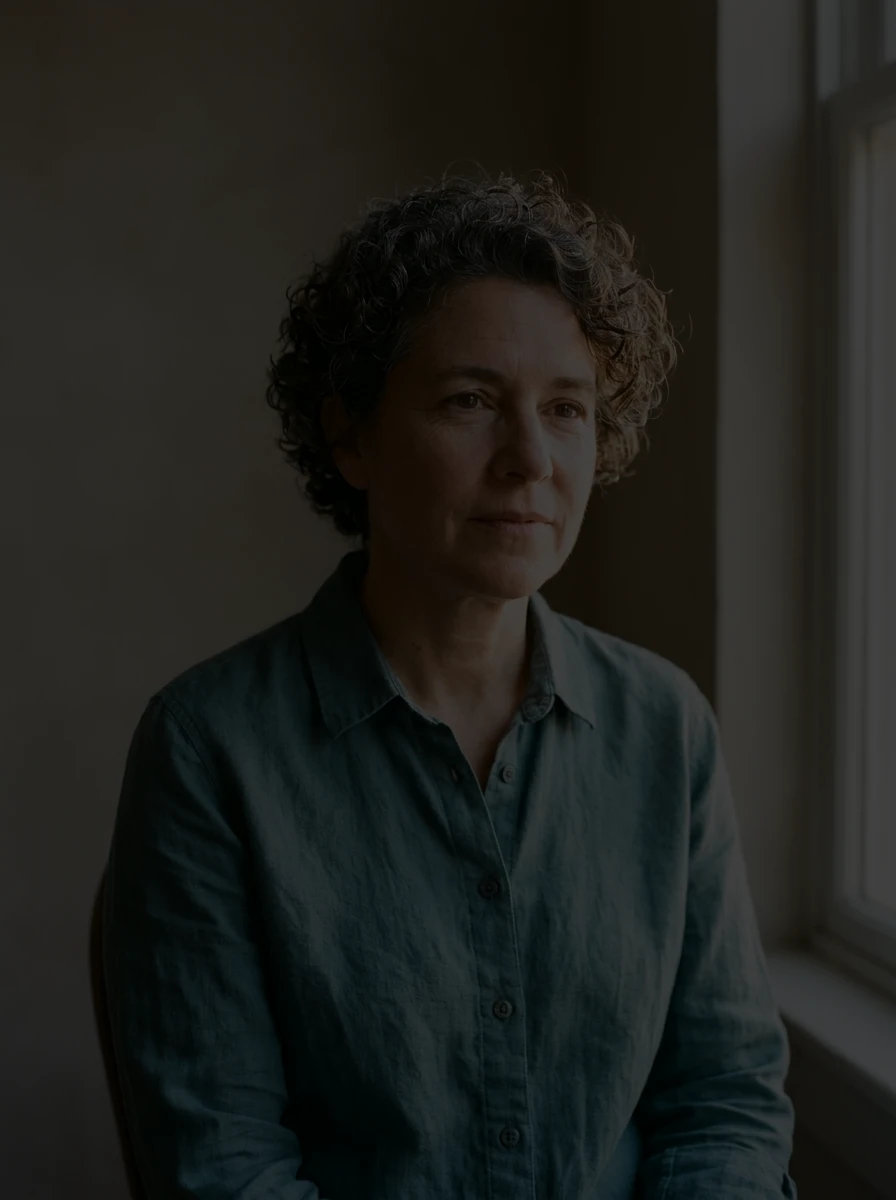 Flat dark light
 Blurred subject
 Crowded background
What changes when a photo becomes a painting?
Turning a picture to painting redraws light and texture instead of applying a flat filter. Our photo to oil painting option builds shapes with overlapping opaque strokes, while photo to watercolor uses lighter washes and visible paper to suggest light in the same scene.
Read more
Photo to Painting turns one image into either opaque oil-style strokes or transparent watercolor washes. Whether you want to turn photo into painting keepsakes from a portrait, take a travel picture to painting, or compare a photo to oil painting beside a photo to watercolor, each gallery pair starts from the same photo so you can look for changes in edges and light while the people and objects stay in place.
Read the paint in a small area
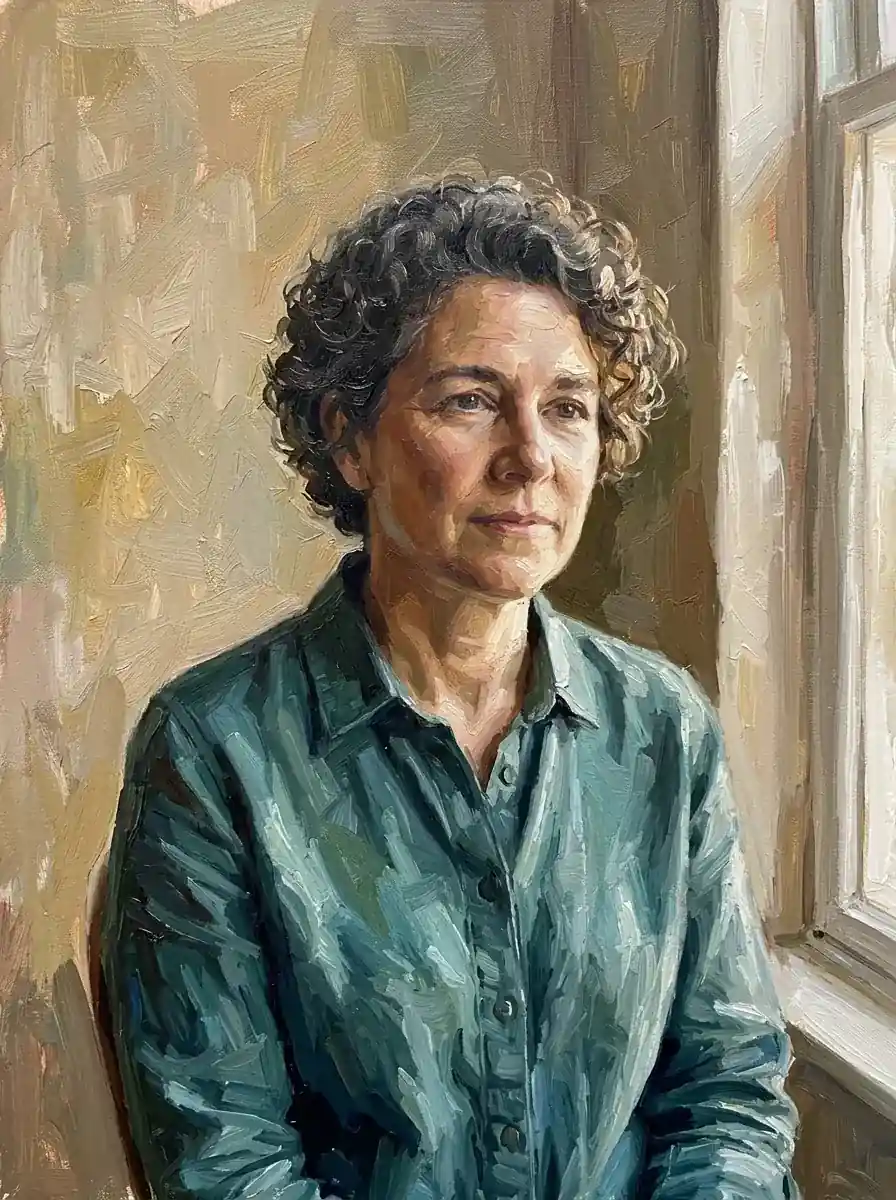
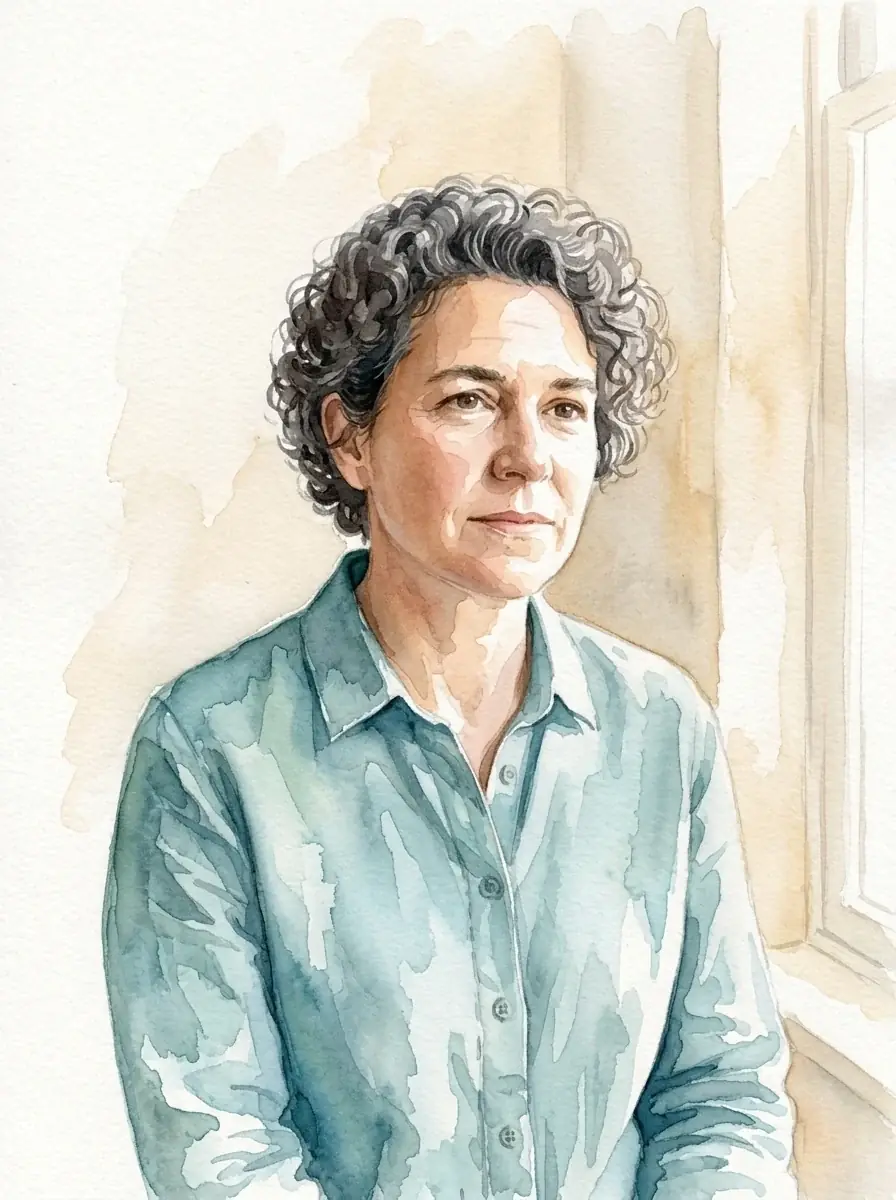
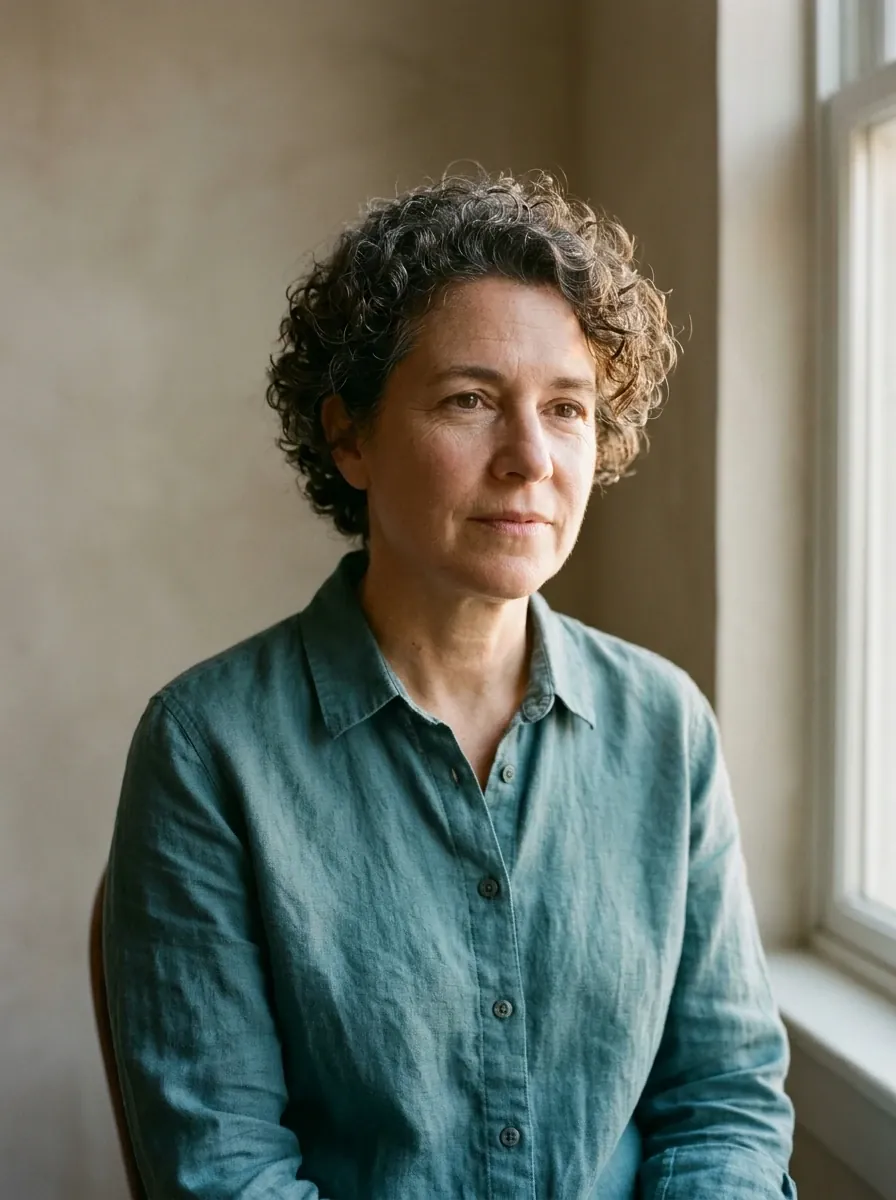
In the portrait of the woman in the teal shirt, the oil-style painting uses overlapping strokes to build the shape of a collar and the shaded folds below it. The watercolor version leaves some of those areas pale, with one thin layer bleeding into the next. You can see the same difference in the rain-soaked street close-up. Both pictures place the puddle in the same area of the road. In the oil result, look for short gray and white strokes across the wet stones. The watercolor paints the reflection in pale blue-gray and lets areas of textured paper show through.
Choose a medium by looking at the light
For a portrait, follow the light across one cheek or along a sleeve. Broad oil marks make a strong transition between the bright and shaded parts. The watercolor version of the rust jacket makes the fold edges and hem softer. In the hill photograph, use the outline of the lone tree to compare the results. The oil version keeps the foreground dark and the sky smooth, while the watercolor leaves more light in the grass and sky. Start with the look that suits the light in your photo, then check the details that matter to you.
Follow the same shape across both paintings
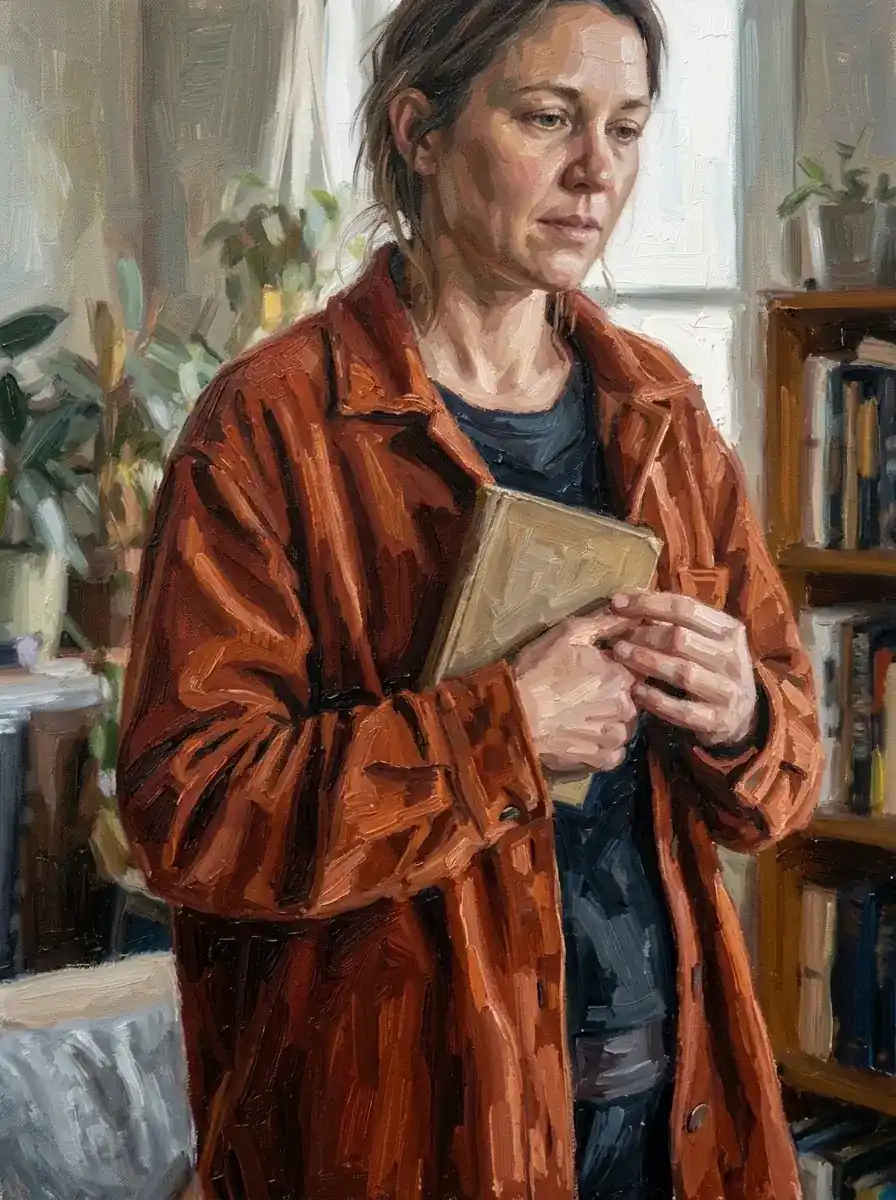
Open the book portrait and follow the angled edge of the cover. The oil painting defines that edge where the opaque beige meets the darker folds of the sleeve. Watercolor keeps the angle and uses less color in the surrounding light areas. The fabric has small ribs in the original photo, but the two paintings use wider marks to describe the same folds. That change tells you more about the style than comparing unrelated paintings would. Use a familiar photograph to make the same check on an expression, a favorite jacket or the position of hands. Look at areas that would matter if you printed the result.
Check a landscape at two distances
At the size of the gallery, the shape of the tree and the slope behind it anchor both versions of the landscape. Look at it closer and the treatment of the ground changes. The oil shows darker strokes broken up by small flecks of light. In the watercolor, lighter bands separate the nearer grass from the far hills. If you want the tree to stand out, leave some sky around its crown when you choose or crop the input. If the scene is about the light across the ground, keep enough foreground to show where the brightest band falls.
Compare warm buildings and cool reflections
On the rain-soaked street, the orange walls frame a much cooler stretch of road. Both versions retain the turn in the curb and the perspective of the parked cars. The reflections cover broad areas in the oil painting, with short strokes where the stones break the surface. In watercolor, the blue-gray shapes sit among lighter patches of paper. For scenes like this, check both the large perspective lines and the balance of warm and cool areas when deciding which medium suits your photo. A light patch reflected in the water can be the easiest point of comparison. Watch how it changes where the dark cobbles border the puddle.
CartoonPix is independent. Source: our analysis of the paired CartoonPix samples generated on November 18, 2026. Updated .
Questions about turning a photo into a painting
Which style should I choose in the Photo to Painting converter?
Choose Oil painting if you like visible strokes and richer blocks of color. Choose Watercolor if you prefer soft edges and areas of white paper.
Can the Photo to Painting converter paint a landscape?
Yes. Start with a scene that has distinct shapes in the foreground and background, such as a tree line against an open sky.
Will the portrait still look like the person in my photo?
The photo guides the face, expression, and pose. Brushwork can simplify small details, so use a clear face and compare the result with the original.
Can I compare oil and watercolor before I choose?
Switch between the two looks on the sample photos. For a personal photo, select one medium per generation; making the other version uses credits too.
What input works best for an oil-style portrait?
Choose a face lit from one side with visible shadows around the cheeks and jaw. These changes in light give the brushstrokes shapes to follow.
What input works best for watercolor?
Try a photo with some open space and a clear subject. A pale sky, a simple wall, or soft window light gives washes room to show.
Do I receive a physical painting?
You receive a digital image in your library. Download the file to share it or arrange your own print at the size you need.
Can I make a watercolor portrait of my pet?
Yes. For a close-up where coat markings are the main concern, the dedicated Pet Portrait from Photo page also has a watercolor option.